Introducing Foil Shaders
- Last updated
- Reid Barber
A Metal-based SwiftUI port of Paper Shaders for iOS and macOS
Overview
Foil Shaders is a Swift package that ports Paper Shaders, the WebGL shader library from Paper, to Metal, so you can drop the same animated backgrounds and textures into native SwiftUI apps on iOS and macOS.
The library includes nearly 30 shaders, including Mesh Gradient, Swirl, Dithering, Voronoi, Liquid Metal, Metaballs, God Rays, Neuro Noise, Paper Texture, Water, and more. Each one is a SwiftUI view that renders on the GPU, along with the same parameters and presets as its Paper Shaders counterpart.
Usage
Add the package in Xcode (File > Add Package Dependencies) or in Package.swift:
dependencies: [
  .package(url: "https://github.com/reidbarber/foil-shaders.git", from: "0.7.0")
]
Then use any shader like a regular SwiftUI view:
import SwiftUI
import FoilShaders

struct ContentView: View {
  var body: some View {
    AnimatedMeshGradient(
      colors: ["#5100ff", "#00ff80", "#ffcc00", "#ea00ff"],
      distortion: 1,
      swirl: 0.8,
      speed: 0.2
    )
    .frame(width: 240, height: 240)
  }
}
Most shader components include the presets from the Paper Shaders documentation:
FoilShaders.Swirl(.candy)
  .frame(width: 240, height: 240)
Color parameters accept ShaderColor values, including string literals parsed as hex, rgb(), or hsl() colors:
FoilShaders.Dithering(
  colorBack: "#000000",
  colorFront: "hsl(195 100% 50%)",
  shape: .sphere,
  type: .fourByFour,
  speed: 0.2
)
Animated components respect the system Reduce Motion setting by default and pause rendering while inactive or offscreen, with opt-outs available for subtrees that should keep animating:
AnimatedMeshGradient()
  .foilShadersRespectsReduceMotion(false)
  .foilShadersPausesWhenInactiveOrOffscreen(false)
Foil Shader Studio
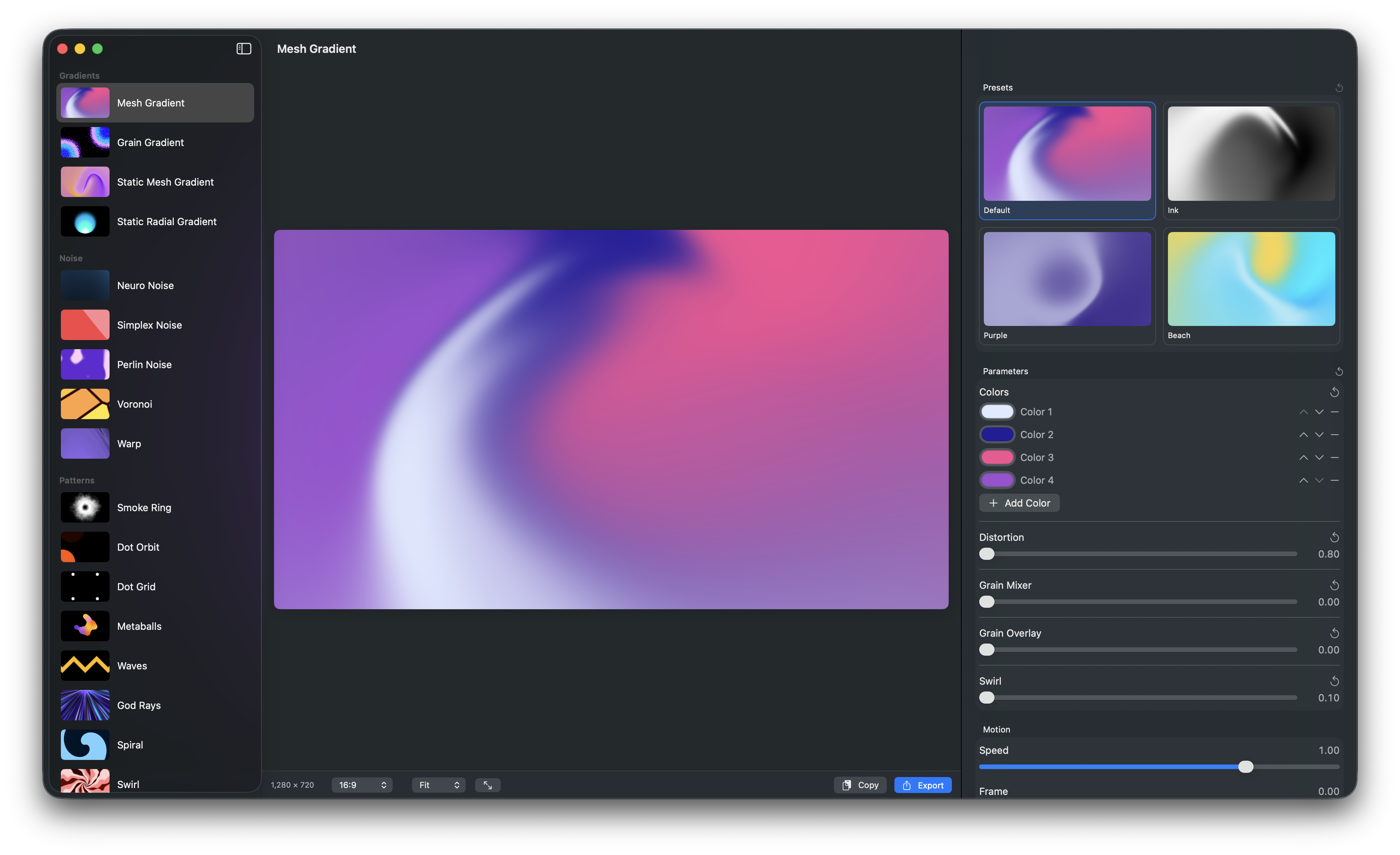
The repository also includes Foil Shader Studio, a macOS app for browsing every shader, tweaking parameters live, and copying the resulting SwiftUI code into your project. You can download it from the latest release.
Visual parity
The project uses a visual parity suite that compares its Metal output against golden images rendered from the original Paper Shaders WebGL implementation, using the same preset, frame, and canvas size on both sides. You can see side-by-side comparisons in the README.
Agent skill
If you use a coding agent like Claude Code, you can install the foil-shaders agent skill so your agent knows how to use the library:
npx skills add https://github.com/reidbarber/foil-shadersDevelopment status
Foil Shaders is currently in alpha, and APIs may change before the first stable release. Feel free to create feature requests or report issues in the GitHub repository.